01
The film
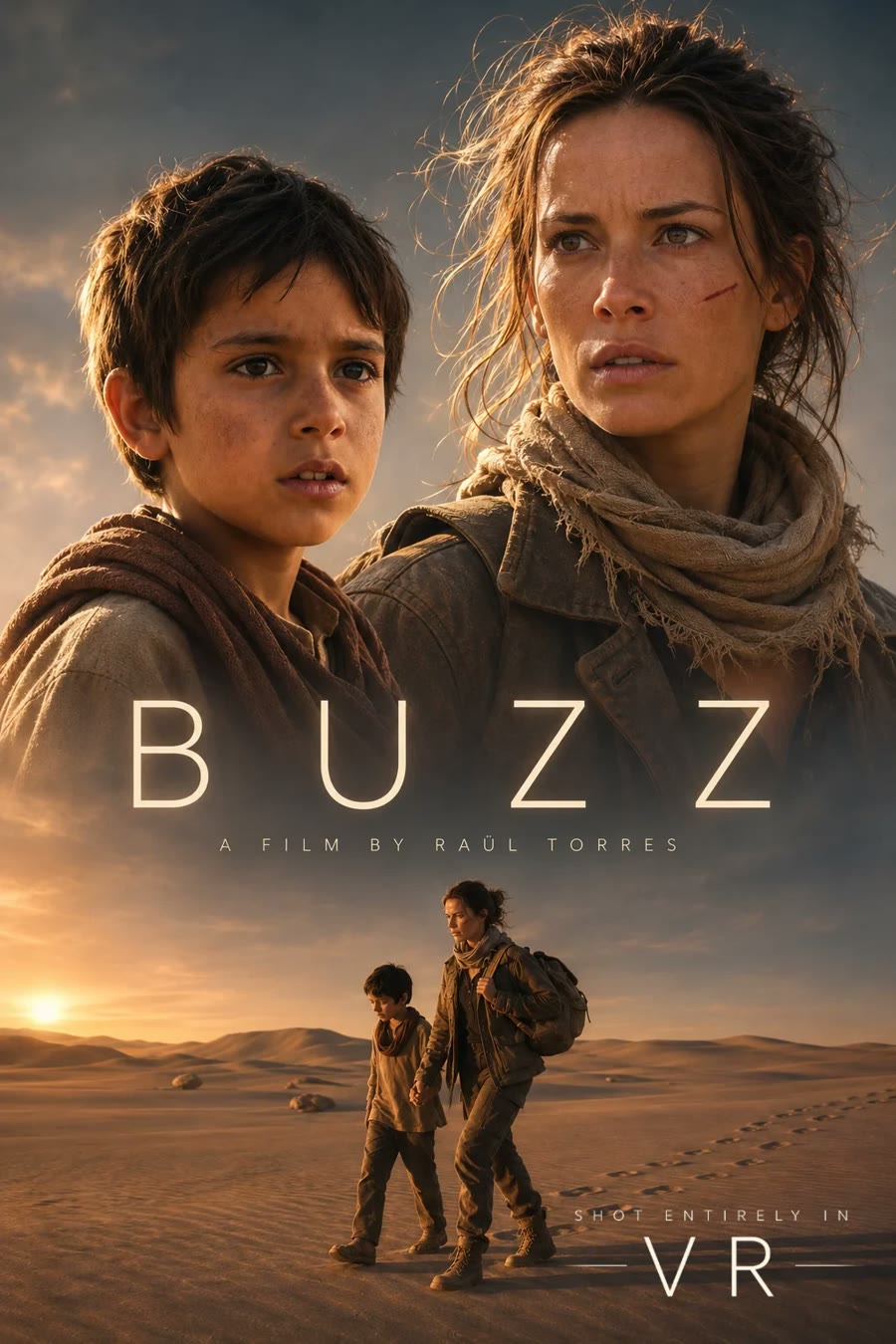
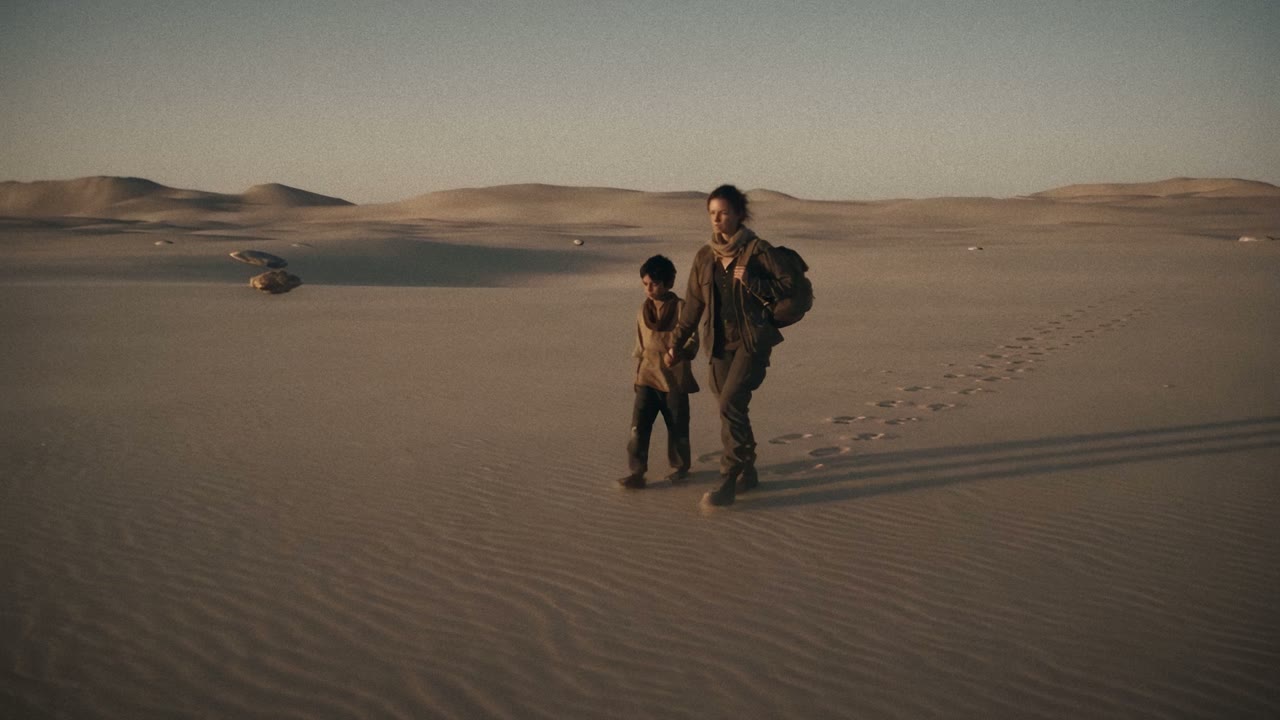
Buzz is a war-horror short of about three and a half minutes. A mother and her eight-year-old son cross the desert on foot and take shelter in an abandoned factory. There is only one whispered line: the sound carries the fear, and the tensest moments are the silent ones.
It was made in fifteen days, from 8 to 22 November 2026, by one director working with a virtual production chain and a team of AI assistants. This page explains the process and leaves the story alone, so you can watch the film without knowing how it ends.
The AI does not stage the film. Where each character stands, how long a shot lasts and how the camera moves are decided by hand. The AI develops that footage, the way a lab develops a negative.
▶ Watch the short film Link coming soon
Behind the scenes
The whole process in three and a half minutes: the blockout, the VR shoot, the AI passes, the sound and the colour.
BUZZ — Behind the Scenes: Shooting an AI Film in VR is officially entered in Season 2 of the Chroma Awards AI Film & Media Competition. Vote today to help it win an award from a $450K+ prize pool.
02
A script built for continuity
The treatment splits the film into eight scenes, one per shooting file. Its most useful page is a plain table: how each scene ends. Where the two characters are, which hand holds what, where each object was left. AI video forgets everything between one clip and the next; that table is the memory.
The script stayed alive during the shoot. When a blockout or a generated shot exposed a problem, the text changed first, and the change then travelled in a fixed order to the blockouts, the prompts, the sound plan and the edit. Only the director changes the script.
03
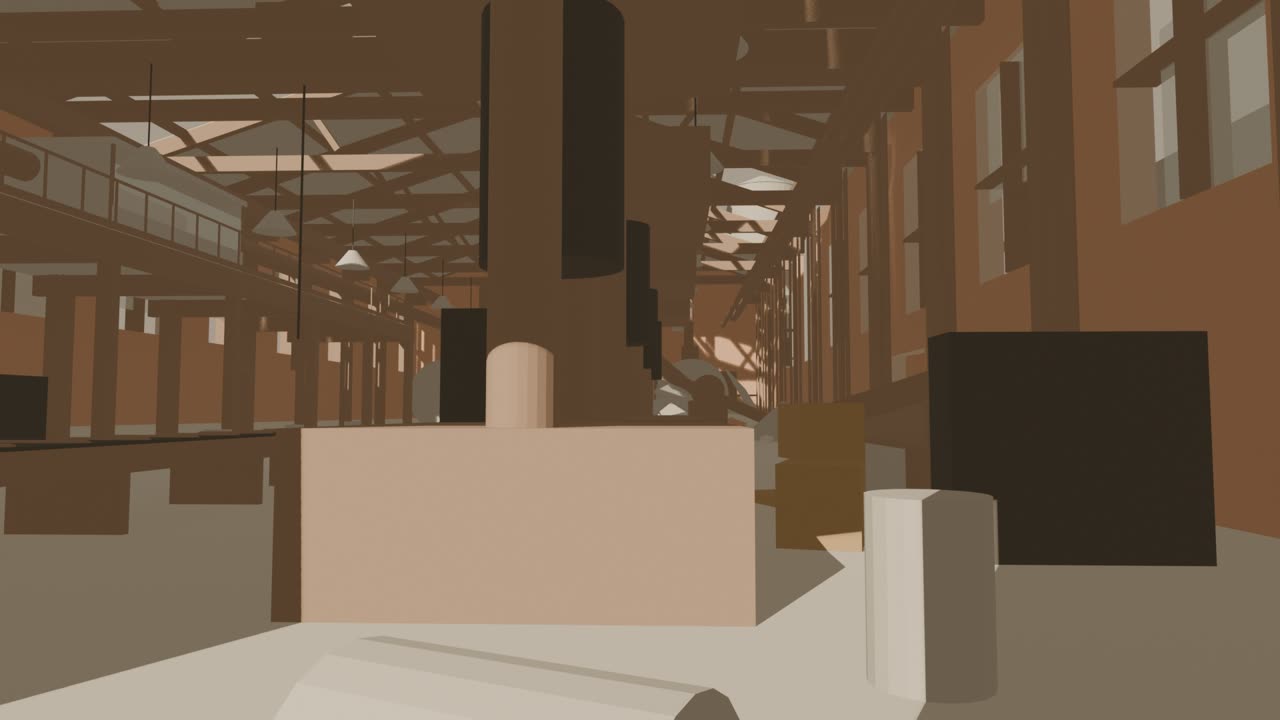
The blockout: a factory, two cylinders and a red drone
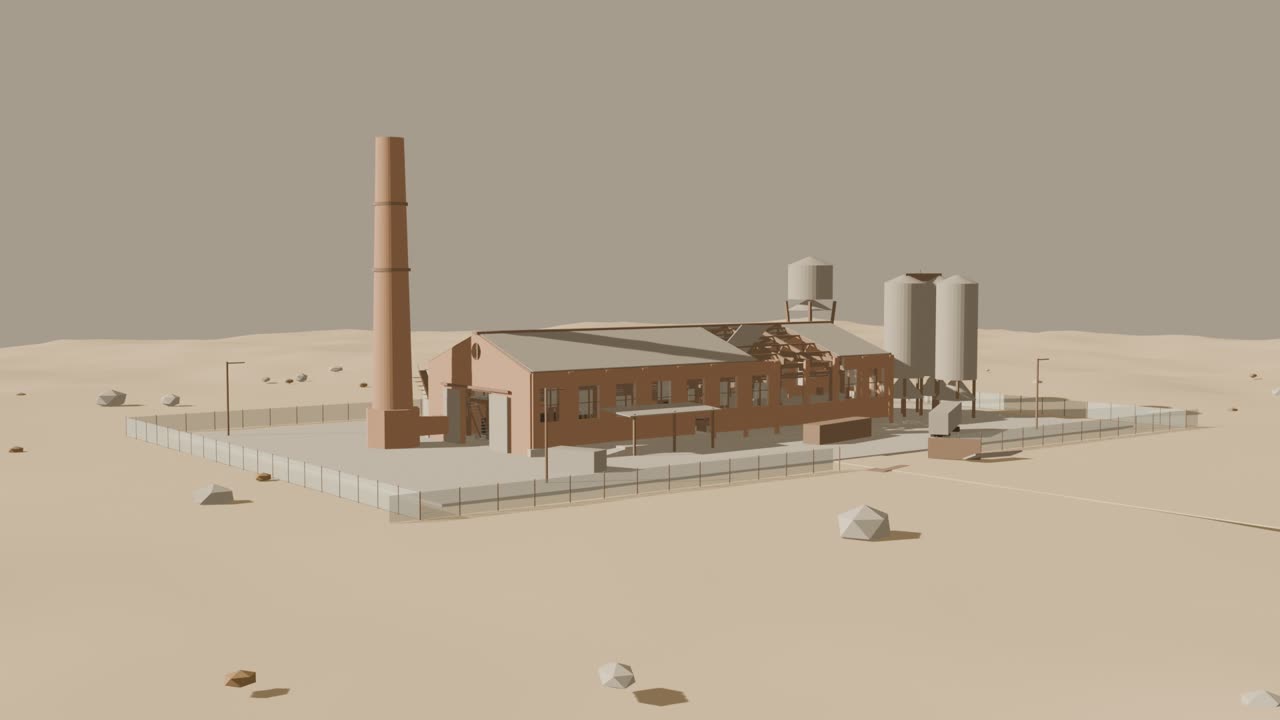
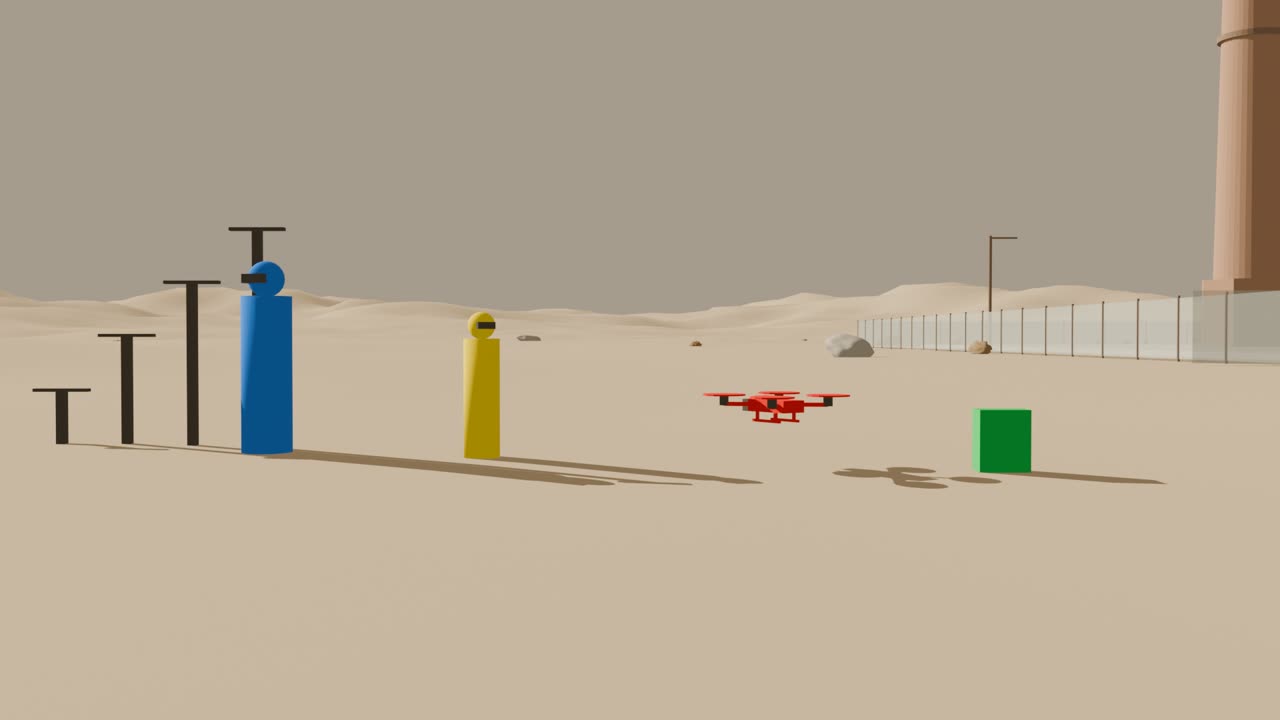
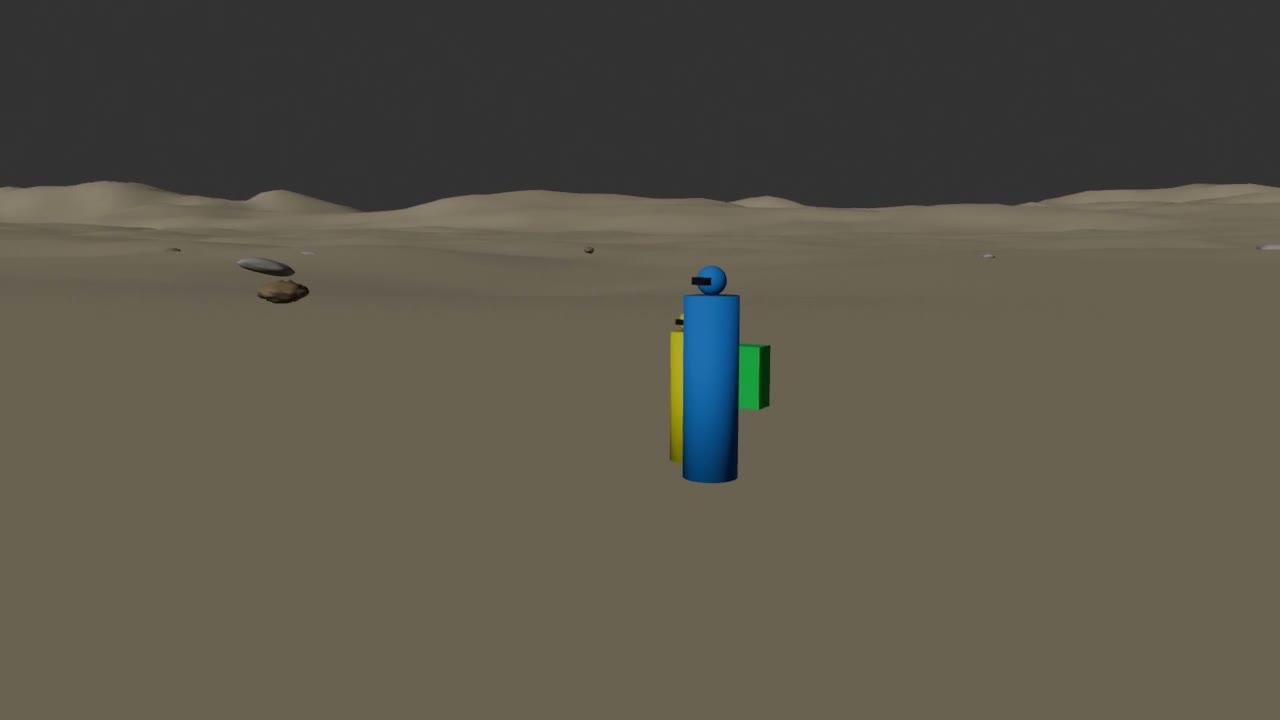
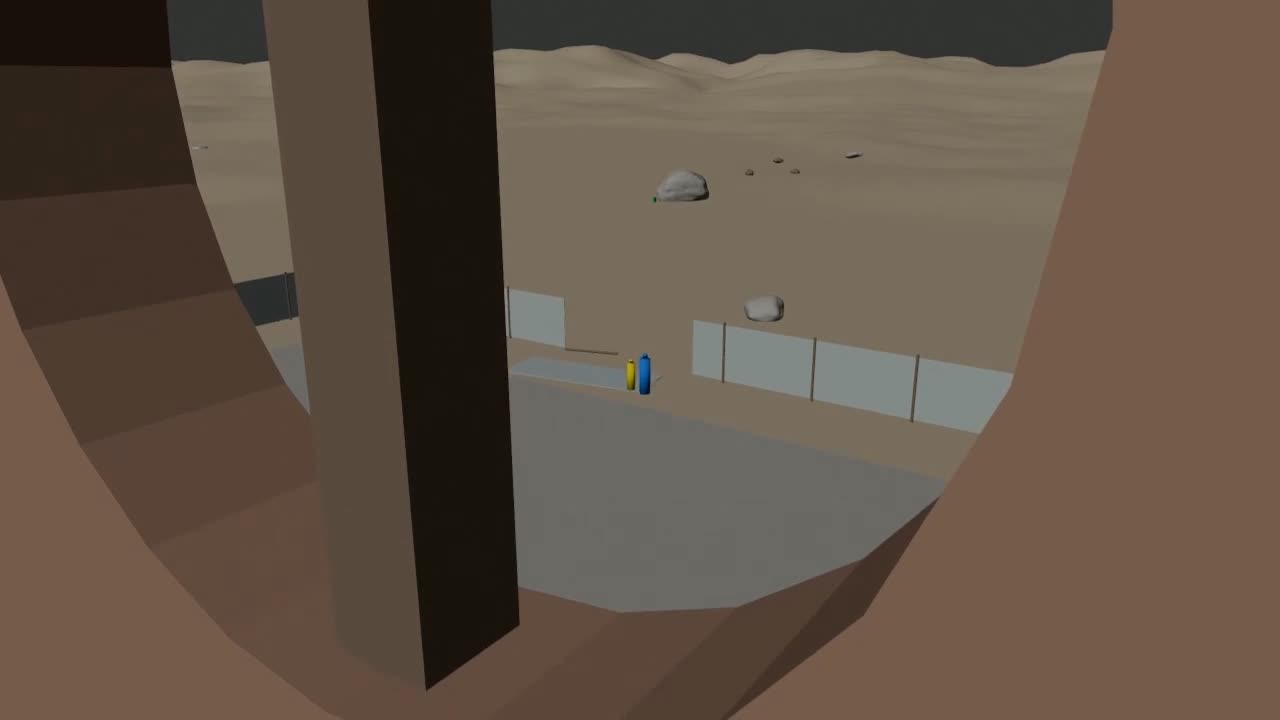
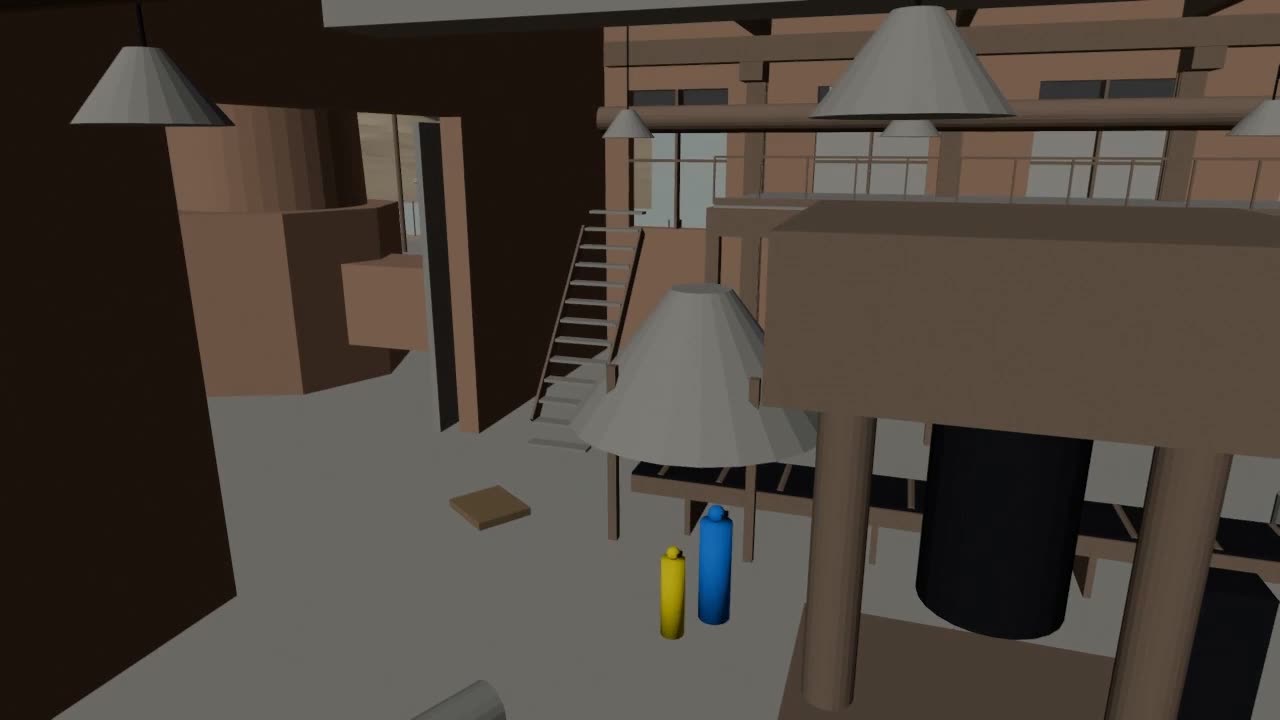
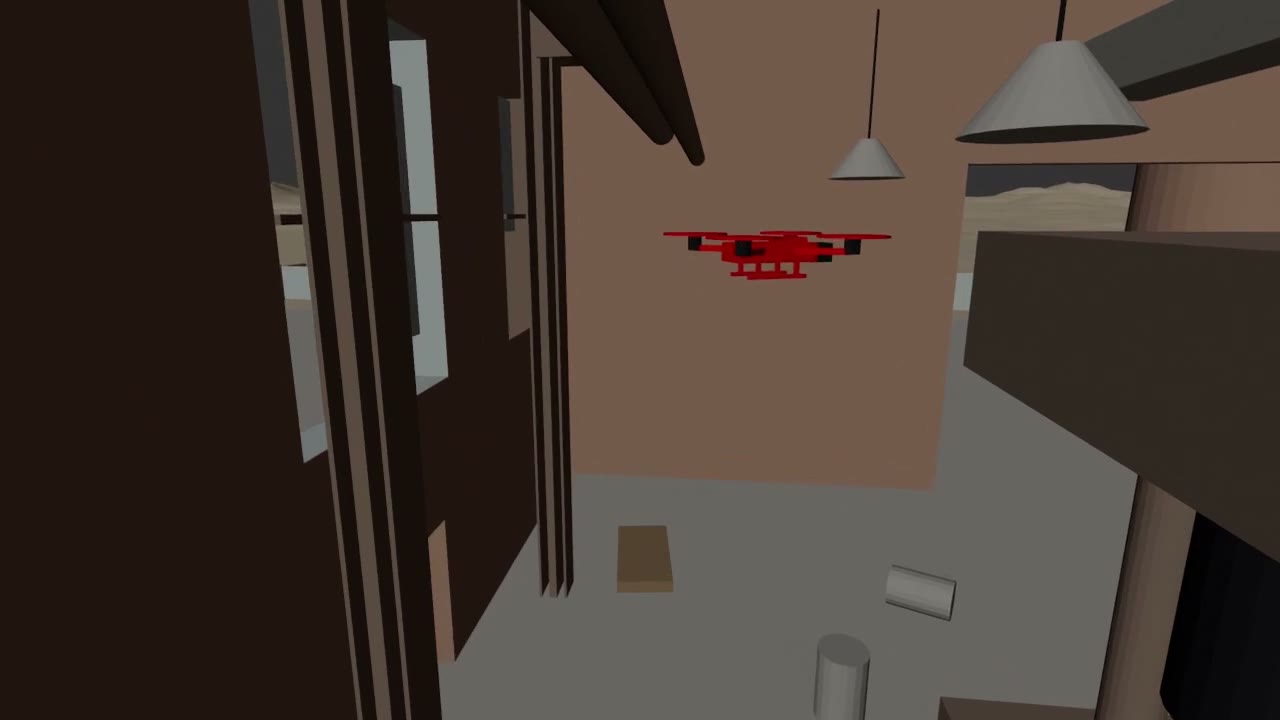
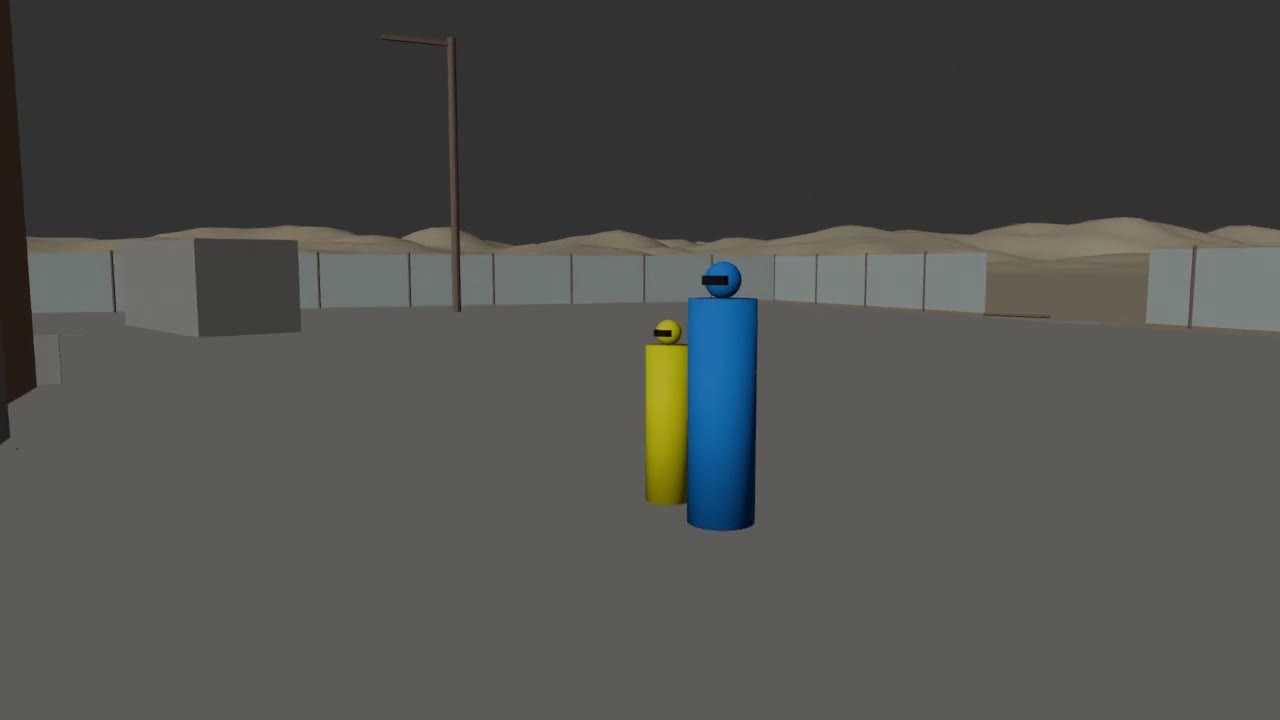
The whole location exists in Blender: a brick factory with its chimney and silos, a fenced yard, a boulder, dunes. The cast is as simple as it can be. The mother is a blue cylinder, the boy a yellow one, the backpack a green box and the drone a red quadcopter. A dark visor shows where each figure is looking.
Only what has a position is modelled. Gestures, dust and small props are left to the prompt. The figures are animated in real time at 24 fps, with believable speeds (nobody runs faster than 5 m/s), and each scene starts exactly where the previous one ends. Everything is measured before shooting: feet on the ground, continuity at the cuts, nothing passing through anything.
04
Shooting inside the blockout
The director puts on a Quest 3 headset and walks into the blockout with OnSetVR, his own VR shooting add-on for Blender. The controller becomes a camera: he picks a lens, crouches, follows the run, waits for the characters to come to him. Each take is a blockout video of 4 to 30 seconds with real handheld camera movement.
Before every session there is a short guide: what happens on camera, at which second, and where to stand. The scene plays in real time, so a take is shot the way it would be on a set.
05
From blockout to final shot
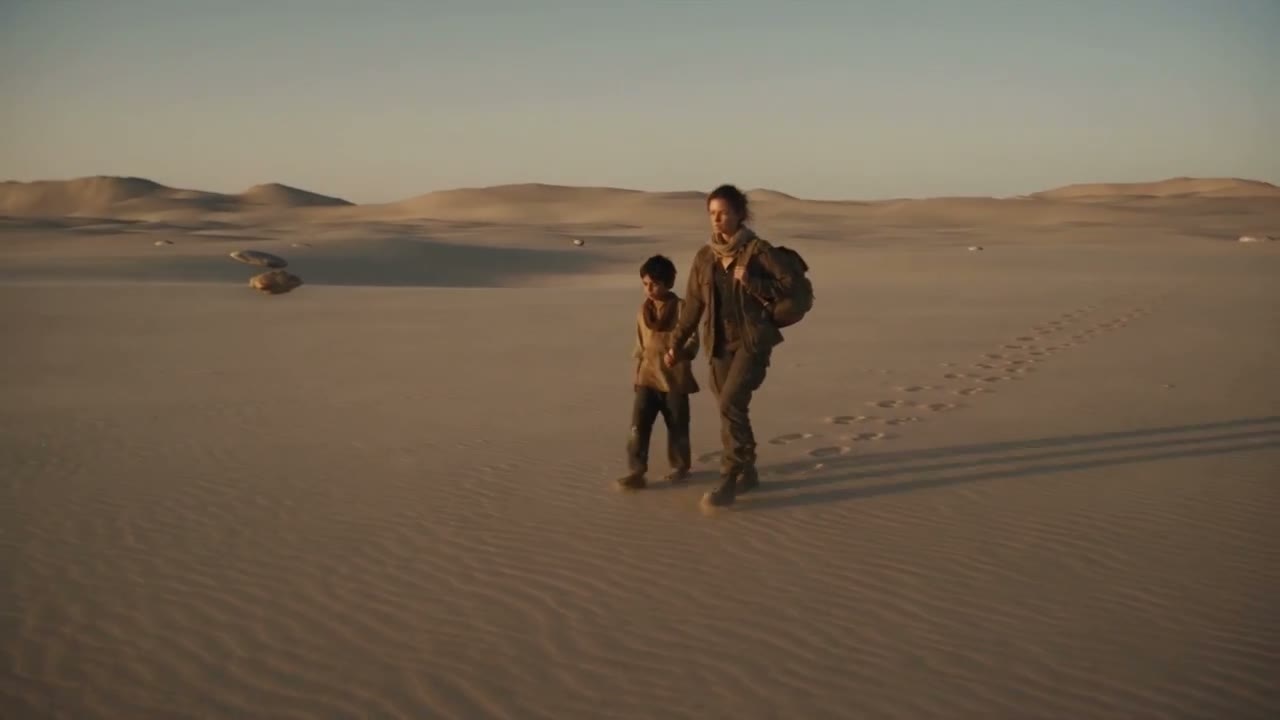
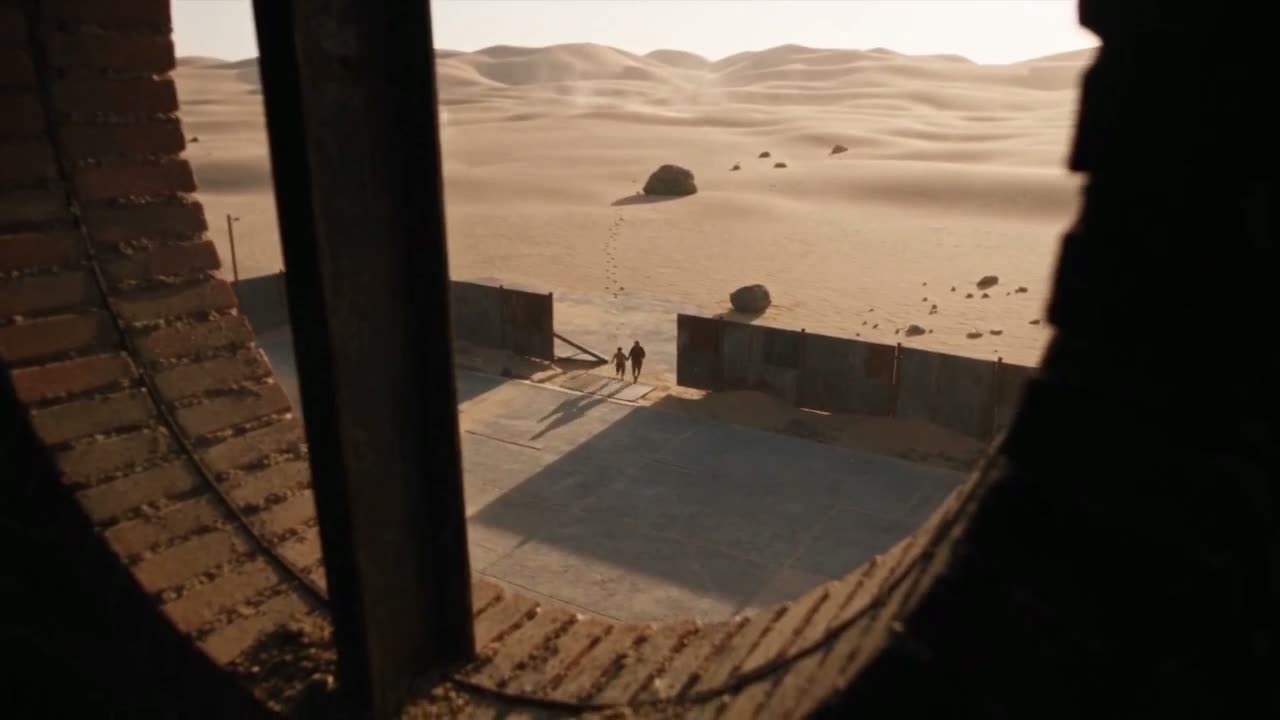
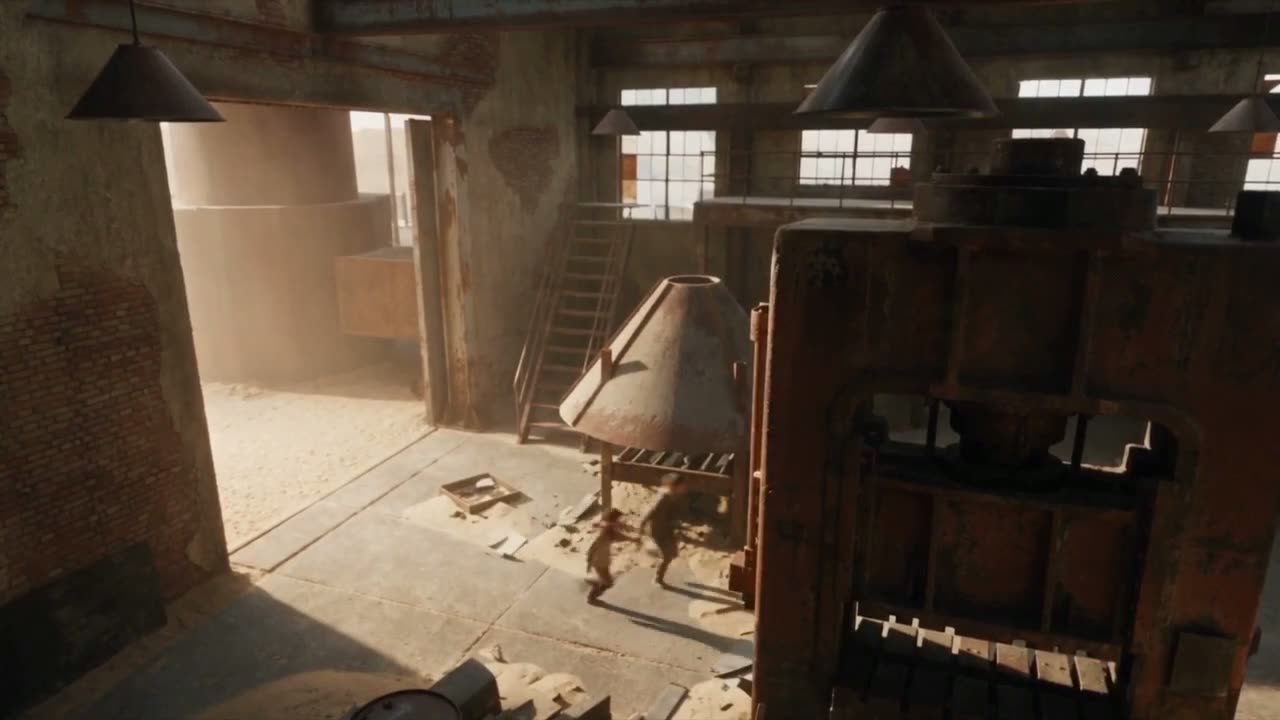
Each blockout take goes to Seedance 2.5 as the motion reference. With it travel the reference sheets for the characters and places, and a prompt that translates the colours of the blockout (blue is the mother, yellow is the boy) and describes light, gestures and dust. The position of the sun is calculated from the actual take, so the shadows fall where they should.
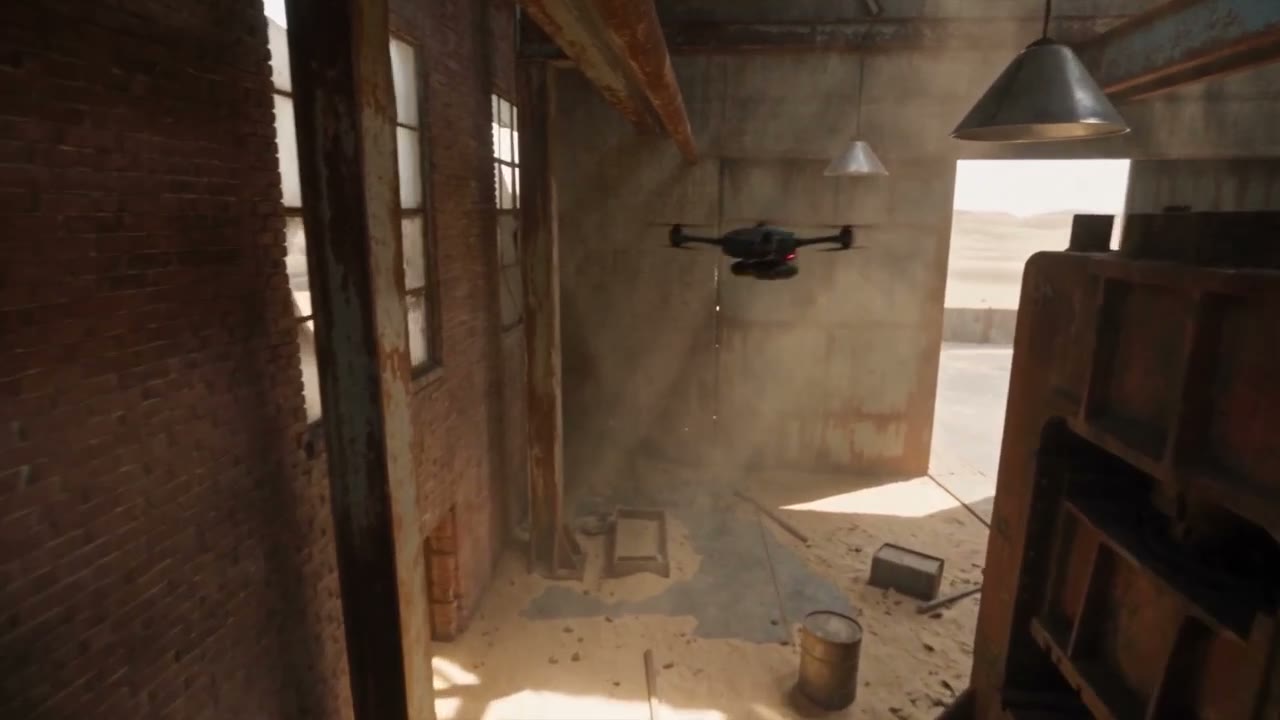
Drag the bar on each image. Left is what was shot in VR; right is the same frame of the generated clip.
 BlockoutFinal shot
 BlockoutFinal shot
 BlockoutFinal shot
 BlockoutFinal shot
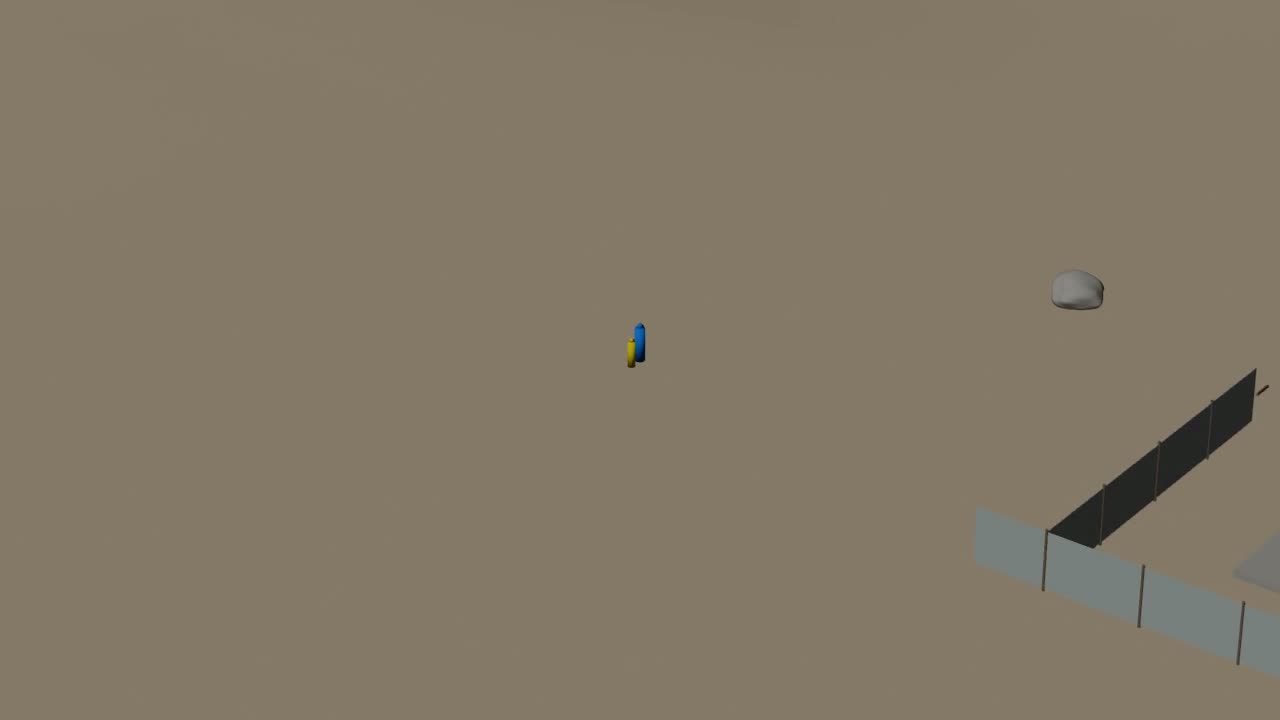
One shot, layer by layer
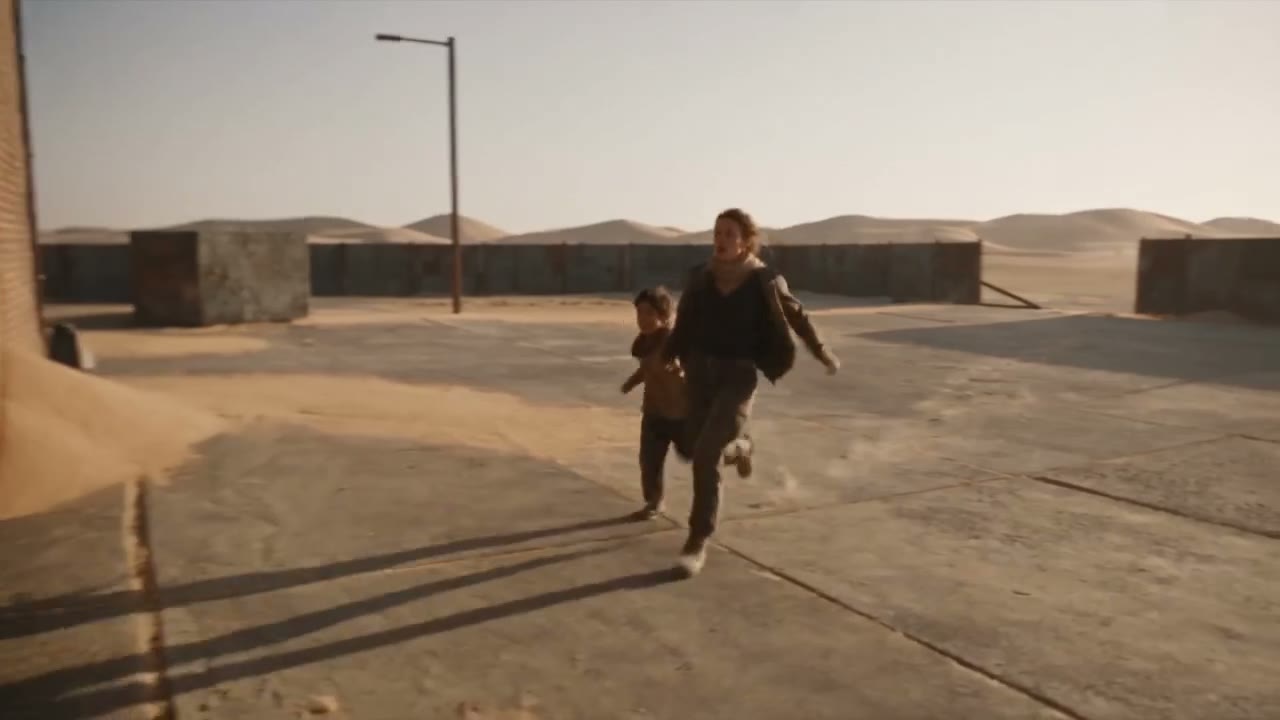
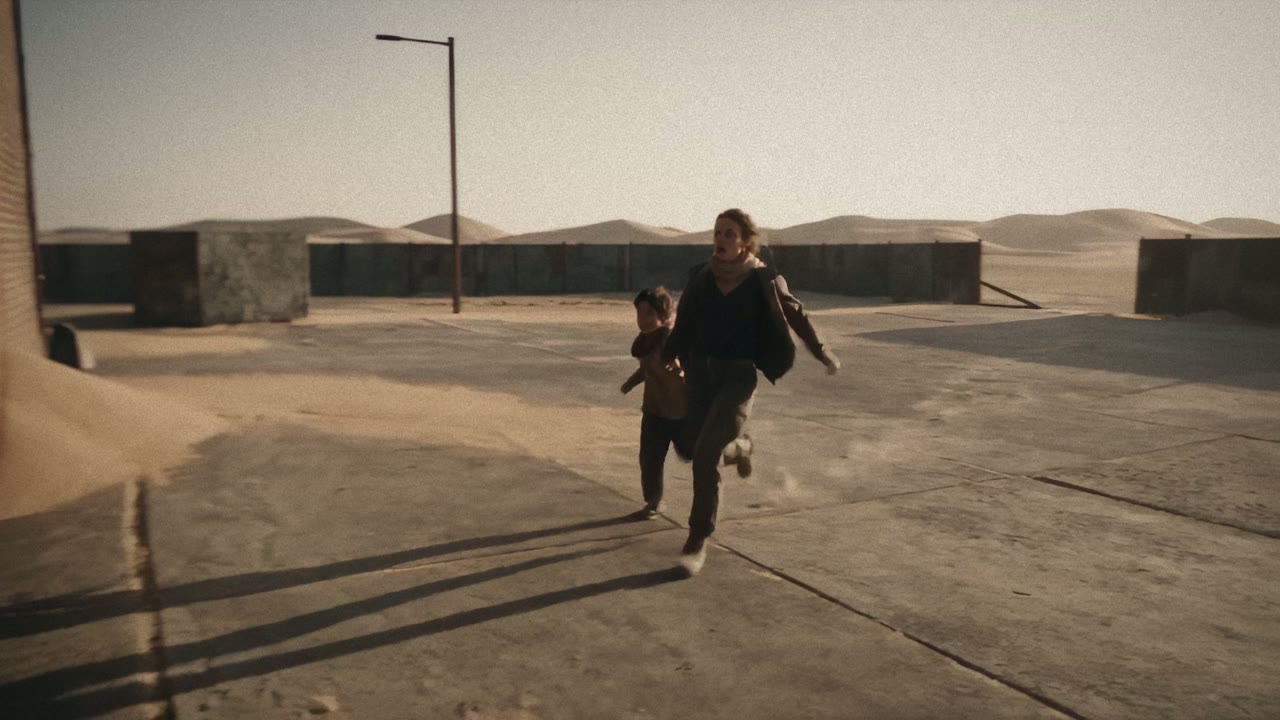
A shot starts as two cylinders in a grey yard. The framing, the lamp post, the wall at the back and the place of each figure are already there. The people, the concrete, the sand and the long shadows arrive in the second layer. The third is the frame as it appears in the finished film: graded, and with its film grain.
What went wrong, and what it taught
Generating a still to start each clip kept breaking continuity: another framing, another light. The fix was to stop, and use frames of the film already edited as the reference for every new clip.
Every generation shows its cost and waits for the director's yes. The rule is two attempts per shot; when a shot needed one more, the prompt or the references changed first.
When one stretch of a long clip is wrong, only that stretch is regenerated. If the problem is pace, a free speed test in the edit comes before any new generation.
When the cut seemed finished, a viewer who did not know the story said parts of it were not understood. The edit was reopened: a few scenes were rewritten, most of the footage was reused, and only the missing moments were generated.
06
Sound: the drone is always there
There is only one whispered line, so the soundtrack carries the fear. The drone is heard even when it is not in the shot. It is one buzz, made with ElevenLabs, tuned to the same note and placed at four distances depending on where the drone is in the story.
Around it: one ambience for the inside of the factory and another for the open desert, footsteps matched to the picture and to the surface underfoot, and breathing. And silences, placed where they weigh the most.
07
Edit, colour and finishing
The film was edited in DaVinci Resolve while it was still being shot. The director's timeline became the context for every new clip: before a prompt was written, the frames on either side of the gap were pulled from the edit, and the new shot had to match their light and place.
The grade takes Dune as its reference: slightly lifted blacks, soft contrast and low saturation that still respects ochre and skin. It was always done on a duplicate timeline, keeping each earlier version, so the director's cut was never at risk. On top of it went a final film look: deeper blacks, a little halation and glow in the highlights, and a soft vignette.
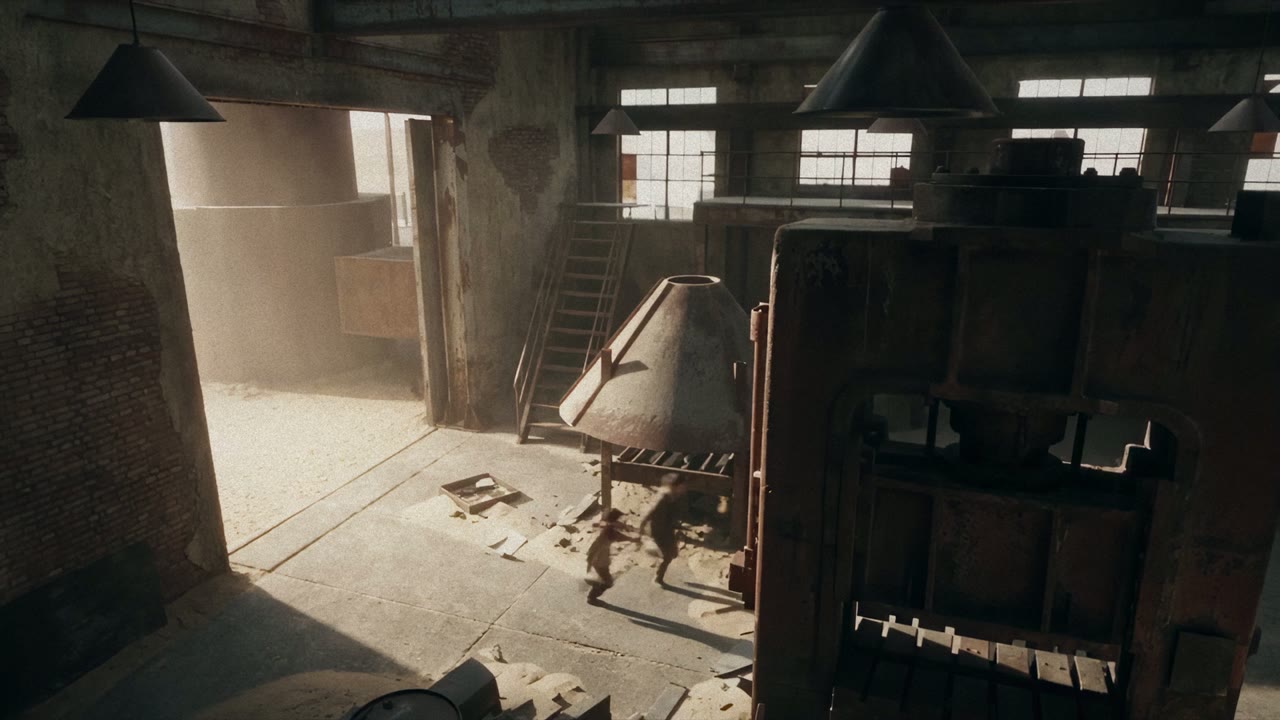 As generatedFinished film
The drone's eye
The drone's point of view is built in layers too. A camera attached to the drone in Blender gives the flight path; Seedance turns it into an aerial shot; the edit adds an action-camera treatment (fisheye, colour fringing, shake, sensor noise) and a cold interface on top.
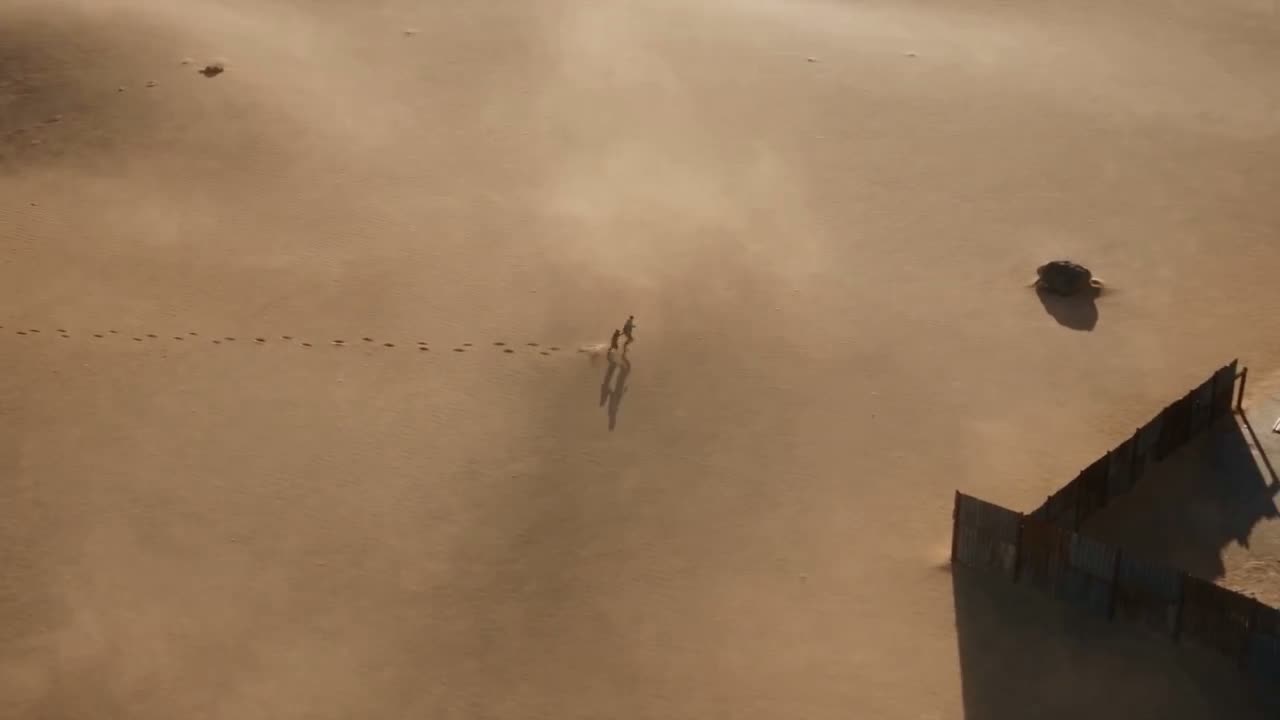
The clips were generated at 720p. The grade and the film grain were done in DaVinci Resolve, and the finished film was then upscaled to 1080p.
08
A crew of AI sessions
One person directed, but the work was split like a small crew. Twelve conversations with Claude, each one responsible for a single department and coordinated by an “assistant director” session: script, blockouts, VR, image, video, sound, music, editing, production accounts, social media and method.
What kept it safe was a handful of short rules:
A session only touches its own files. Anything in another department is requested, not edited.
A dated backup before every change, and a note on how to undo it.
Every session adds its entry at the end of a common record. Nobody rewrites what is already there.
The cost comes first, and the yes is the director's, given to the session that will generate.
If documents, files and prompts do not match, the session reports it and does not choose on its own.
Technical work is delegated. Creative decisions and the script are not.
09
What we learned
- The blockout rules. Whatever is not in the blockout, the AI will invent. Position, timing and camera are decided before generating.
- The film is its own best reference. Frames from the approved edit keep light, costume and objects consistent better than any new image.
- Know the cost before you press the button. Trim the reference video to the exact stretch, and stop at two attempts.
- Repair in the cheapest place. Pace is fixed in the edit and a slightly wrong light in the grade. Regenerate only what cannot be repaired.
- Save after every take. Several VR takes survived only in autosave files. A take that is not saved does not exist.
- One current document for each thing. What is retired is set aside, never deleted, and everyone works from the same shot list.
The shoot in numbers
Tools
- Virtual production
- Blender · Meta Quest 3 · OnSetVR
- AI video
- Seedance 2.5
- AI image
- GPT 2.6 · Seedream 5.5 · Nano Banana 2.1 · Ideogram 4.5
- Sound
- ElevenLabs
- Generation platform
- Magnific
- Edit, colour & grain
- DaVinci Resolve
- Production assistant
- Claude · Anthropic